
Guten Tag, aus irgendeinem Grund kann ich keine Dokumente mit dem Büroklammer-Icon hochladen. Es kommt immer eine Fehlermeldung. Zuletzt kam überhaupt nur eine Box ohne Text, nur mit einem OK-Button. Dann war das Hochgeladene wieder verschwunden. Könnt ihr mir bitte weiterhelfen? LG Anna
still nothing ;/
KTarasiewicz, Apr 4, 2018
ich kann den screenshot von der error-meldung leider nicht hochladen...
Anna K., Mar 31, 2018
Hi. I got same problem last days. Win 10 pro 10.0.15063 Firefox 59.0.1 (64) when I add attachment it looks like added. than I change task, and when come back to task with attachment there is no any attachment;/
on chrome 65.0.3325.181 works, so problem is browser
KTarasiewicz, Mar 26, 2018
looks like yours. empty
Anna K., Mar 31, 2018
⭐️ We have closed this thread in order to optimize the performance of our Quire Feedback Forum.
Please see our Quire Feedback Official Guideline for more information. Thank you.
Peggy, Apr 22, 2021
Hi Anna, Can you please let us know your OS (eg., Windows 10) and browser and its version (eg., Chrome Version 65.0.3325.146)? Also, if you could provide us with a screenshot(s) of what you see, that would be great. Thanks!
Crystal, Mar 26, 2018
ich kann das PDF file nicht hochladen. es wird dann nur dieses kästchen ohne info angezeigt. ich verwende OS 10.13.3 und firefox 59.0
zwischendurch hat es ein mal funktioniert. dann wieder nicht... eigenartig...?
Anna K., Mar 31, 2018
Hi, well, file dose not matter, now i made test with this file. I see it like it attached, like You post. When I change task to other I see 'empty error' like this and after coming back to task with attachment - there is no att.
KTarasiewicz, Mar 28, 2018
Hi Anna,
Thank you for the info.
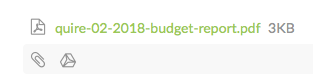
Did you see that the file has been successfully attached (like in the image below), before you change task? And can you give us the file you want to attach? We will try to reproduce the issue at our end. Thanks.
Crystal, Mar 28, 2018
Hi Anna, We found that you might need to clear your service workers. Please follow the steps:
- In your Firefox browser, open two tabs.
- In one tab, go to your Quire workspace.
- In the other tab, enter
about:debugging#workersin the address bar. - Click on “unregister” for everything under Service Workers (see below image).
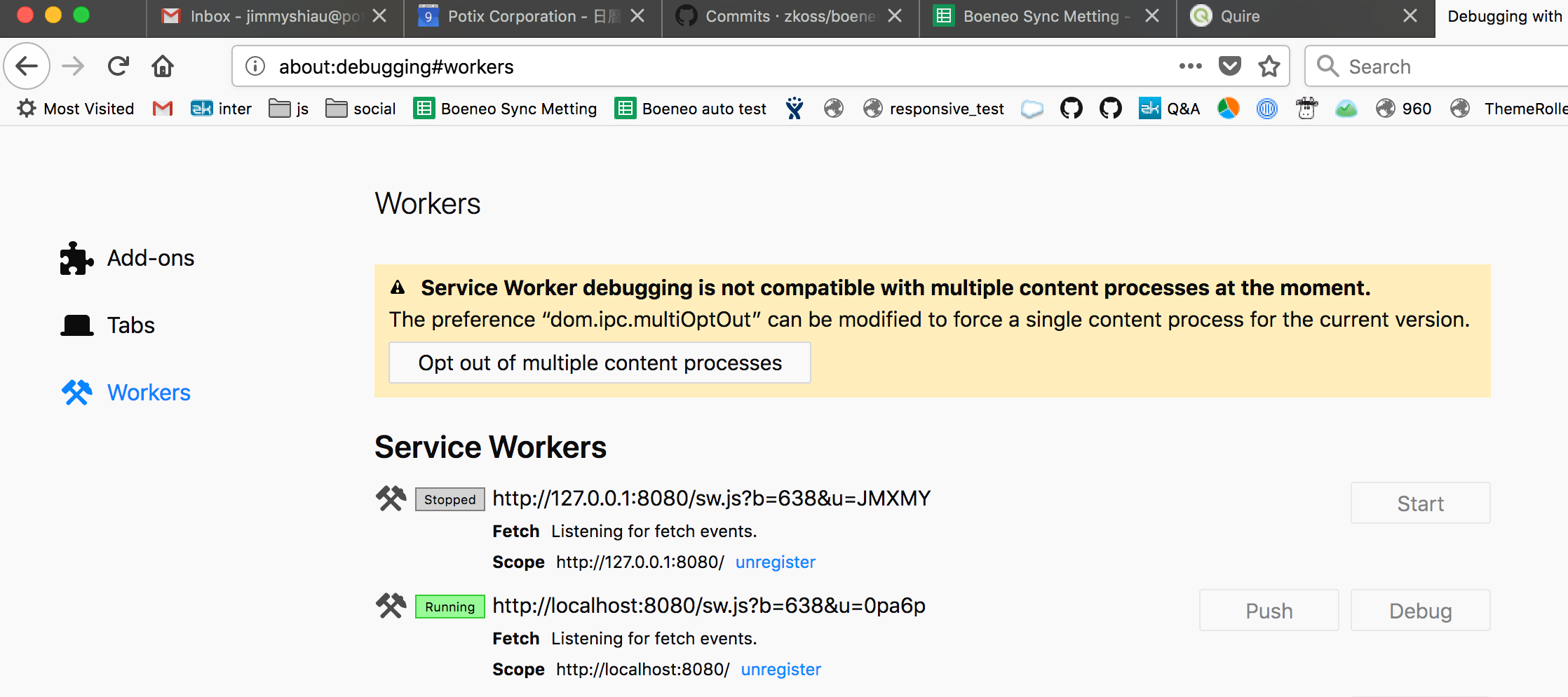
Now, go to the tab of your Quire workspace, and refresh. It should work fine.
Crystal, Apr 2, 2018
Anna K., Mar 31, 2018