
The Quick Add widget for Android defaults to My Tasks in the dropdown to select which project to add the new task to. I think it would be more useful to default to the most recent Project that the widget added to.
@Raisag Thank you for your reply. I should have specified, I was referring to the quick add task from long-pressing the Quire icon that allows the User to quick add a task directly to a given Project. Upon further investigation, I found this was actually because I had originally added the widget for quick add to a project that had been deleted. As a result, the widget was then defaulting to My Tasks. Therefore, I think you may resolve this issue. Sorry for the trouble!
Chris, Oct 14, 2022
Hi @GTD, Thank you for your suggestions! In Android Widget, the default view is My Tasks, but if you want to add a new task to a project, you can click the plus icon and choose the project from the dropdown menu. Please see the screenshot below.
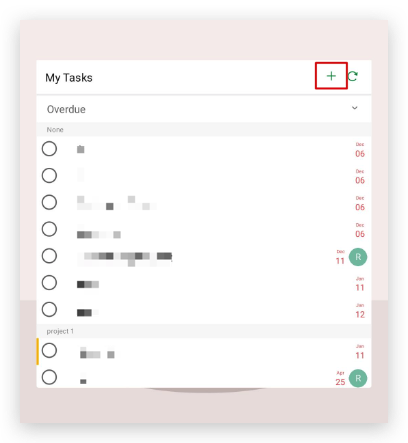
When you have chosen a project, it will remember which project you chose the last time. If you want to add another task to the same project, you will not need to select the project again.
I hope this helps!
Sarah, Oct 11, 2022
Great! Marking this thread as resolved. 🎉
Peggy, Oct 14, 2022