
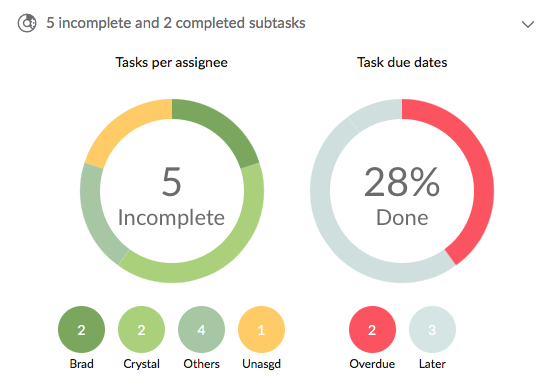
I'm in a project showing only open tasks. I select an open task, and I would like to see all the subtasks, of whatever status. I click on '0 incomplete and 2 completed subtasks' hoping it will expand to a list of the subtasks and get this

which is just a repetition of the text '0 incomplete and 2 completed subtasks'. Would be much better to show the subtasks.
Hi Stowe, I see. Point taken.
Crystal, Aug 9, 2017
PS why doesn't that image resolve? I'm using your Markdown syntax. PPS And I can't seem to be able to upload an image, either
Stowe Boyd, Aug 3, 2017
Regarding turning on 'all tasks' yes I know. But I have like 100 completed tasks in a certain project, and I don't want to expand from the 7 in process tasks to a list of 107 just to see the subtasks of one top-level tasks.
And yes, I am aware that those charts show what they show. This is not a request for an explanation of how it all works. I am requesting that it work differently, or you provide an additional capability.
Stowe Boyd, Aug 4, 2017
That helps some cases. But shift+right arrow does not expand completed subtasks if the current view is 'show incomplete tasks', so for the example I spelled out, it wouldn't work: the completed subtasks don't expand, only incomplete ones do.
Stowe Boyd, Aug 8, 2017
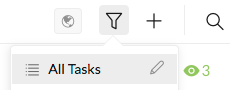
Hi Stowe, To see all the subtasks of a task of whatever status, you can go to “filter” and click on “All Tasks.”
The pie charts in your image are to display stats (info) including the % of tasks done, and the # of tasks assigned to each member, like this:
PS. About the image not showing, we have fixed this bug. It shall be working fine now. Thanks for the bug report! 😃 PPS. I can upload an image fine by clicking on the “attachment” icon or by drag & drop. If you still have problem, a screenshot of the issue would be appreciated.
Crystal, Aug 4, 2017
Hi Stowe, You can press Shift+RightArrow to expand all tasks level by level, and right-click on the collapse (expand) icon of a task to expand it (eg. see its subtasks at a certain level).
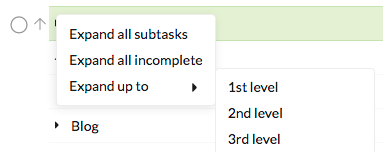 Hope these would help.
As for the charts, let us think about it. Thanks.
Hope these would help.
As for the charts, let us think about it. Thanks.
Crystal, Aug 8, 2017
⭐️ We have closed your thread in order to optimize the performance of the Quire Feedback Forum. Please see our Quire Feedback Official Guideline for more information.
Peggy, Apr 22, 2021