
In the mobile view it's not possible to close the undo window if it's full. The window looks to go over the button making it unable to reach. If the window is empty, there is no problem at all
Hi Ivo, In our iOS app , you can tap on the "arrow" icon at the bottom of the task list to toggle the Undo popup. Let me know if it helps. 😃
Crystal, Jun 30, 2017
Hi Ivo, When you open the Undo list on your smartphone, there will be space at the top for you to tap to close the Undo list.
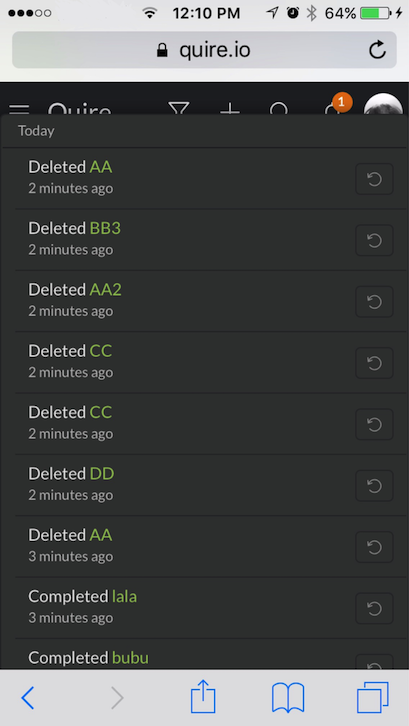
If this is not the case for you, a screenshot of the issue would be much appreciated. Thanks!
Crystal, Jun 29, 2017
I noticed although it would be nice if the bottom bar would stay on top. In that case you could simply use the undo button to toggle the popup on and off.
Ivo Meisen, Jun 30, 2017
That's beter! Thx.
Ivo Meisen, Jun 30, 2017
You are welcome. 😃
Crystal, Jun 30, 2017