
Good morning,
I love your product, I use it as a personal crossover between ToDo / Wunderlist and Jira and it worked amazingly well for that purpose until a very recent update.
Right now, every time I add a task into a column from a specific board, that task is aggregated by the general list as a "child task" of the previous one in that column from that specific board.
ie, I have 4 tasks in the To-Do column of a board named Client X Adding a new task # 5 in that column used to create the task in that column of the board Client X and to make it appear in the General list as a standalone task. But now it appears in that general list as a child / sub task of the task # 4 of the board Client X.
Is this intended and how you envision the product to work from now on or is it a bug?
Thanks in advance for your reply!
Antoine
I am facing same issue recently and is very frustrating. Any updates / workarounds / permanent fix on this is highly appreciated @peggy .
Keyur Patankar, Jan 25, 2021
Thanks.
Psycho Dev, Jan 25, 2021
Seems I spoke too soon, any task I add is still related to another one and when I delete a task, it deletes others 😭 So like Msassenrath asked, I'd like to understand how to post a standalone task in a column.
Antoine Ricquebourg, Jan 21, 2021
I'm a new user, so I dunno about the "update" part, but I think I'm encountering the same problem. When I click "+ Add tasks" in a board, it always seems to be a subtask. I have to go to the List tab in order to make real standalone tasks. It's quite frustrating!
Msassenrath, Jan 20, 2021
Hi Peggy, I'm still struggling with the basic use case: how do I make a standalone task (non-subtask) in a board? Like in just an empty column of any board. Could you show that in a gif?
Msassenrath, Jan 21, 2021
I have the same issue. Even when no task is selected, new task I created randomly being created as a subtask. I use Quire very often and this is extremely frustrating and I'm having really hard time using Quire. I can't manage my tasks since they are randomly assigned as a subtask of another task.
Psycho Dev, Jan 22, 2021
Hi @aricquebourg and @Msassenrath - Thank you for reaching out to us. In the newest update, we made some improvements regarding adding new tasks in the Board view.
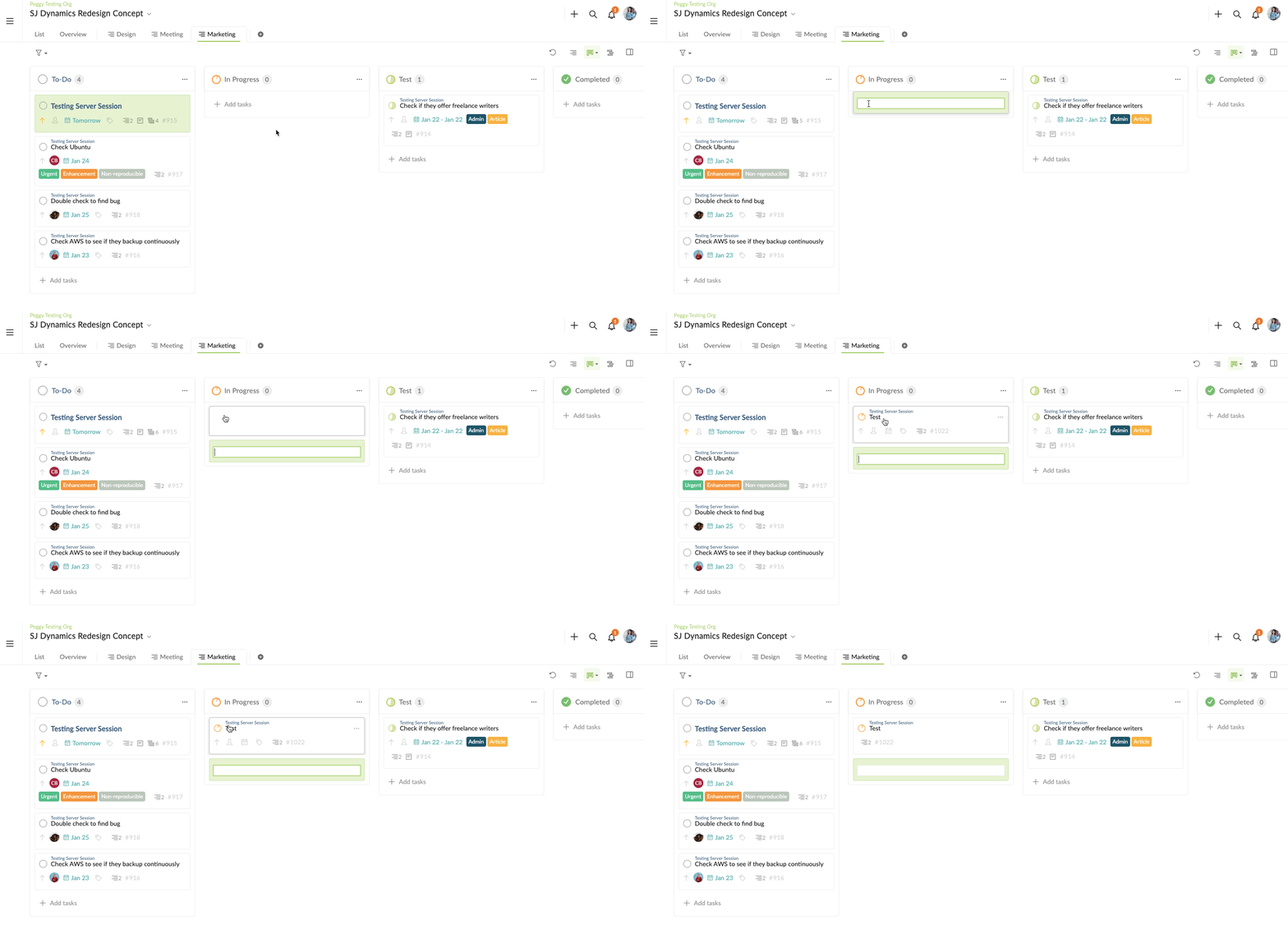
When adding a new task in a blank column, the system will add the newly created task as a subtask to the parent task you have initially selected to add to the board.
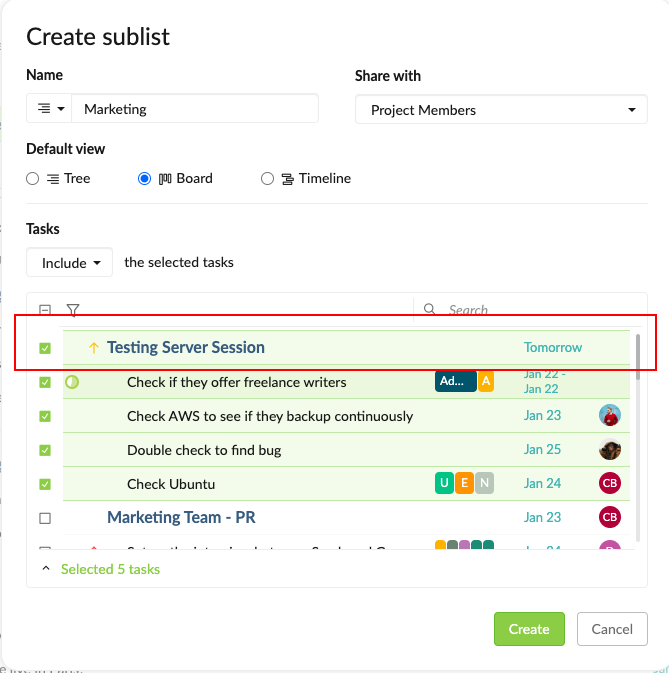
See my example below, I added the task "Testing Server Session" and its subtasks into a new Sublist Board. Then when I create a new task in a blank column, the new task will be added as a subtask to "Testing Server Session".
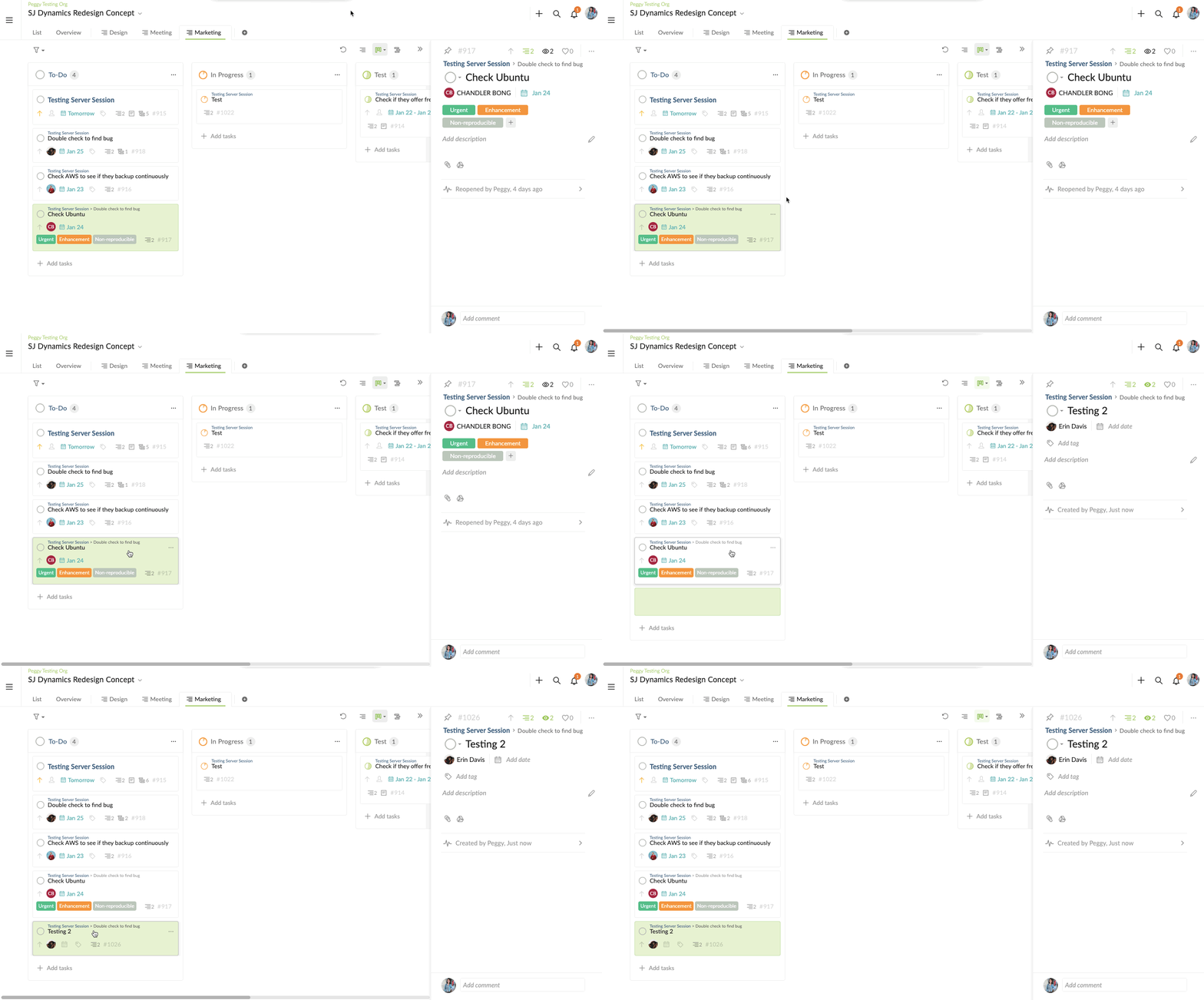
But if you inspected a task and hit Enter to add a new task, the new task will be added as a sibling task to the inspected task.
We've noticed that this spec change may be a little bit confusing and may have caused some frustration for our users. I have passed this feedback to our Product team and will continue to follow up on this topic internally. I will keep you posted as soon as I get an update from the team. Thank you again for the feedback.
Please let me know if you have any questions.
Peggy, Jan 20, 2021
Hi @Msassenrath , @aricquebourg , @psychosealdev and @keyur.patankar - Thank you for your replies. We understand how this can be frustrating. Our team is currently working on a way to solve this problem. I will keep you guys posted when I have an update. Thank you for your patience.
At the moment, if you want to create a standalone task (root task) in a Sublist, there are two ways:
- Create it in the main List first, then drag and drop it to the Sublist.
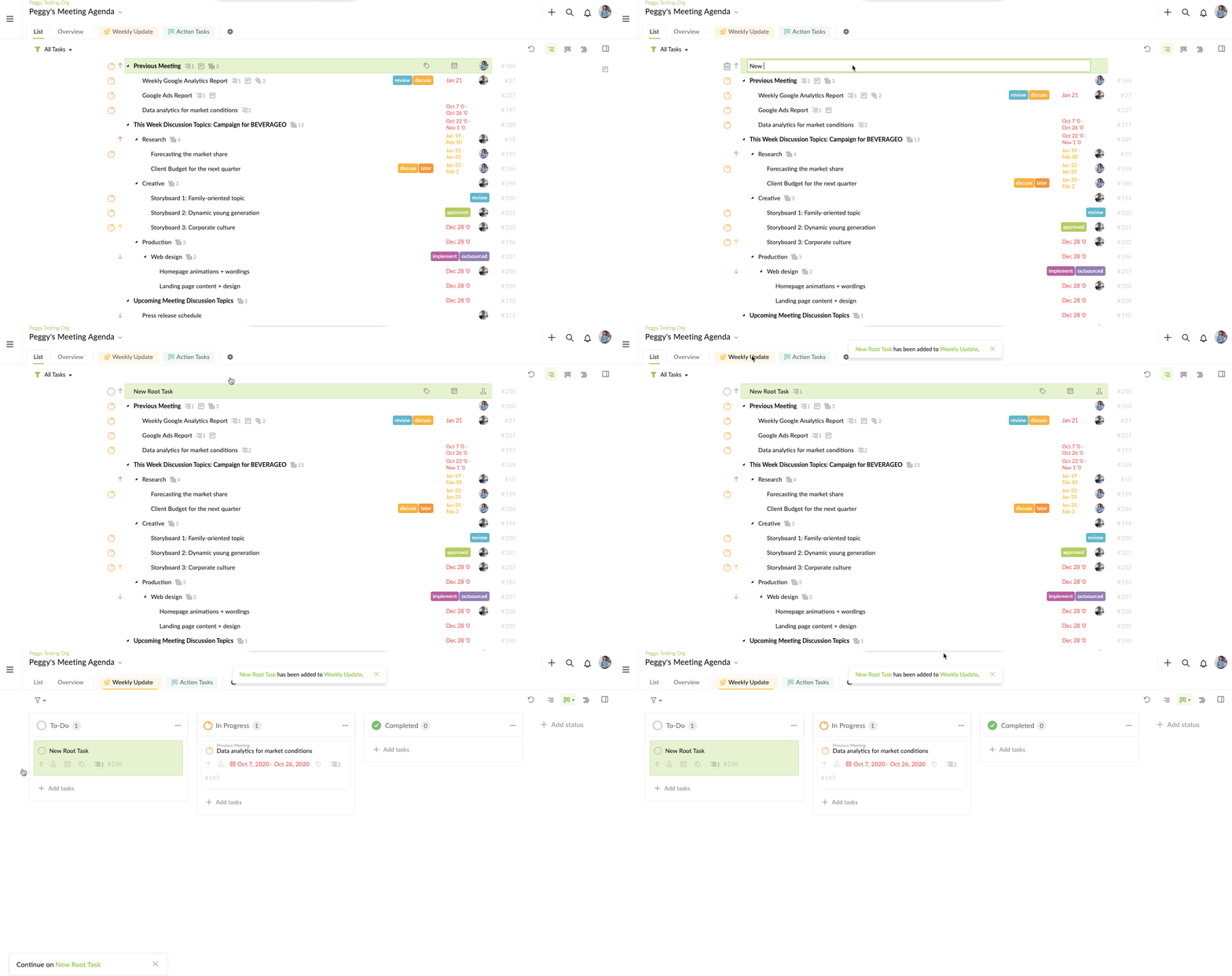
- If the Sublist is empty, then newly created task will be a root task.
I hope this helps.
Peggy, Jan 25, 2021
Thanks for your reply Peggy! I did some testing this morning after reading your post and the behavior seems to have changed again and seems to be back to "what it previously was". ie, when I create a task in a column using the + Add tasks (previously I had to use the dropdown menu at the top right of the column iirc), it creates a standalone task while yesterday the same action created a subtask of the previous task.
This is all I need to remain a delighted Quire user ;-) Thanks!
Antoine Ricquebourg, Jan 20, 2021