
The CSV export extracts date columns in "MMM DD, YYYY" and excel is unable to work with this format.
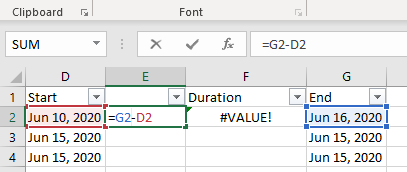
Dinesh Kumar, Jun 18, 2020
The problem happens when I double click and open the file directly as mentioned. However if I import it into excel the problem does not happen. Thanks for the suggestion.
Dinesh Kumar, Jun 19, 2020
@dinesh.kumar - unfortunately, we weren't able to reproduce this issue on our side. The date format (see screenshot excel value bar) is MM/DD/YYYY.
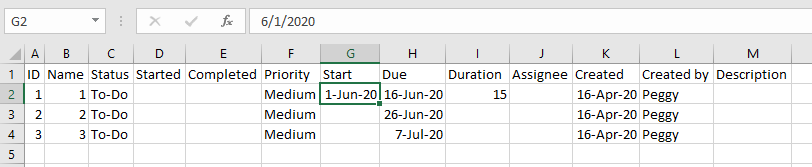
Thus, we were able to create formulas.
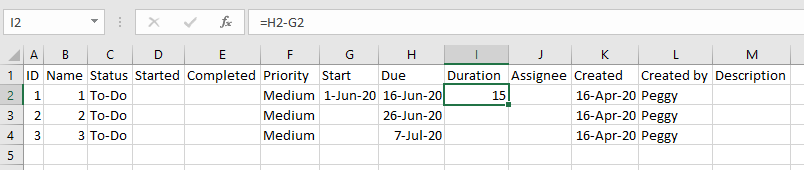
Please note we have opened the CSV file with Excel in a specific way, not by double clicking on the CSV file. Please see this link on how to open CSV file in Excel safely: https://www.copytrans.net/support/how-to-open-a-csv-file-in-excel/
Peggy, Jun 19, 2020
inbuilt excel functions are unable to identify the format and so the value is being treated as plain old text.
Dinesh Kumar, Jun 18, 2020