
milestones · Jun 29, 2015
Hello GitHub, We’re Quire

Last updated: July 22, 2026
- How do I integrate with GitHub?
- Goodbye for now!
Last updated: July 22, 2026
TL;DRQuire connects to GitHub so you can track code changes alongside your tasks and trace between the two in one place. Set it up from Quire and Beyond at quire.io/apps: choose GitHub, install it, pick the project, authorize your account, and select the repositories to link. From then on, task tracking and code stay in sync instead of scattered across two tools.
For some of you, it is difficult enough to keep everyone up to date with the tasks at hand. It is even more so when they involve codes. Lots of codes.
But not to worry, Quire has got it covered. With the integration with GitHub, it is easier to stay on top of your team members’ code changes and to refer and trace back between tasks and codes. It's part of the same Quire & Beyond directory that also syncs your tasks with Google Calendar.
Connecting your tools is really a form of automation. McKinsey found that about 30% of the activities in most jobs could be automated, and wiring tasks to the code that fulfills them is one less thing anyone has to sync by hand.
How do I integrate with GitHub?
Go to Quire & Beyond
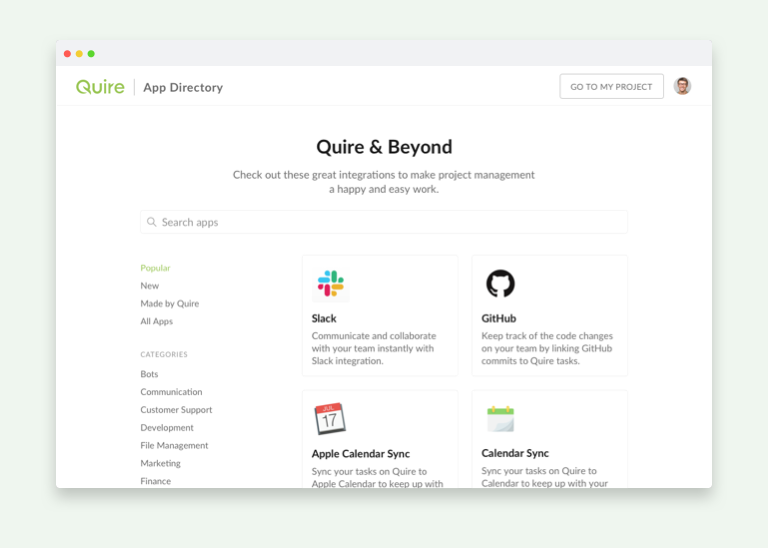
Choose Github and click on
Install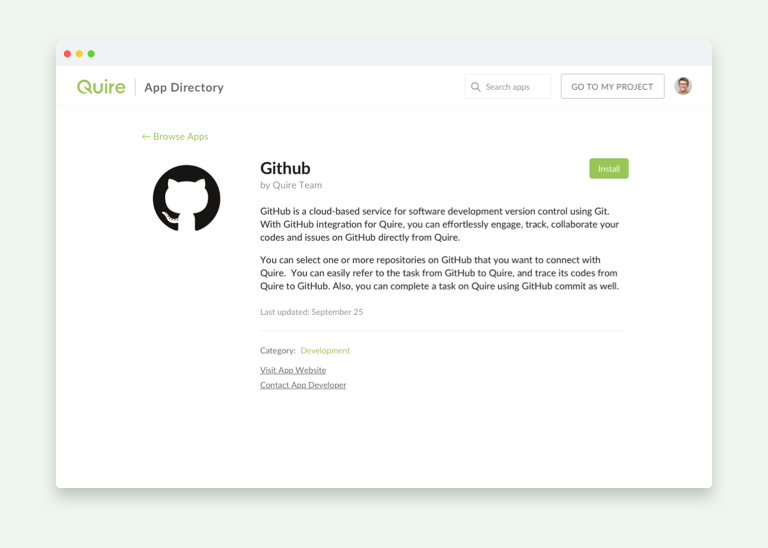
Choose the project that you would like to integrate Github to
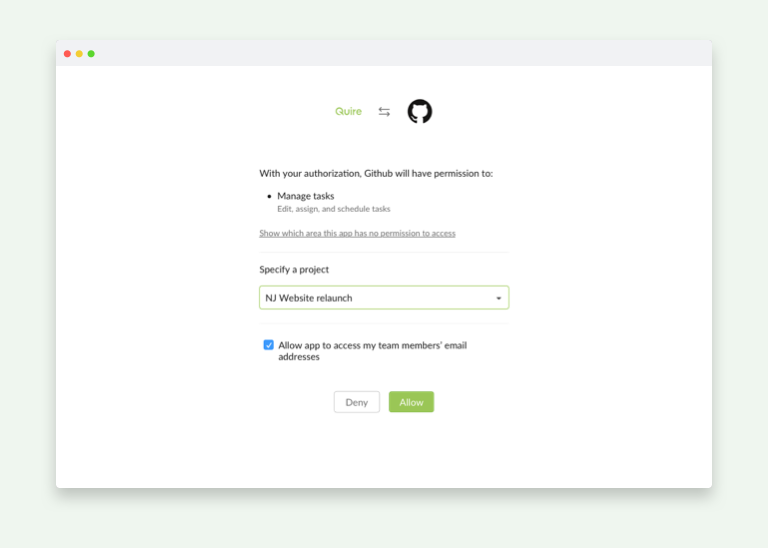
Authorize your Github account with Quire
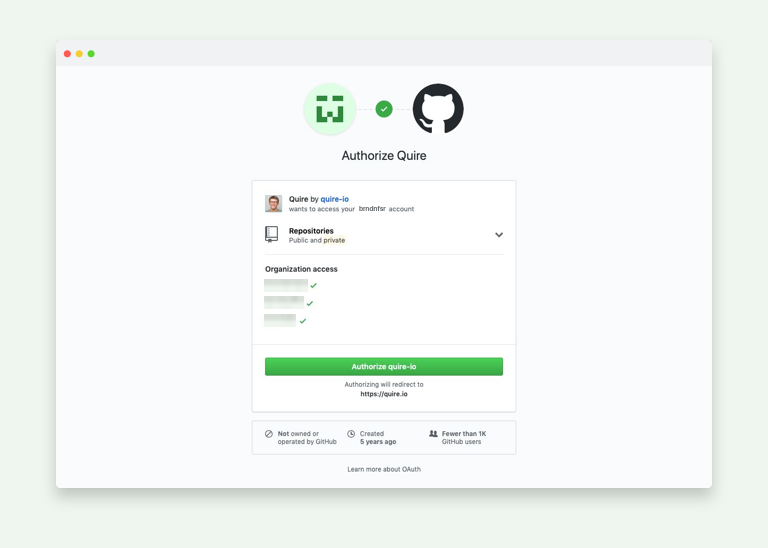
Choose the Github repositories you want to connect to Quire
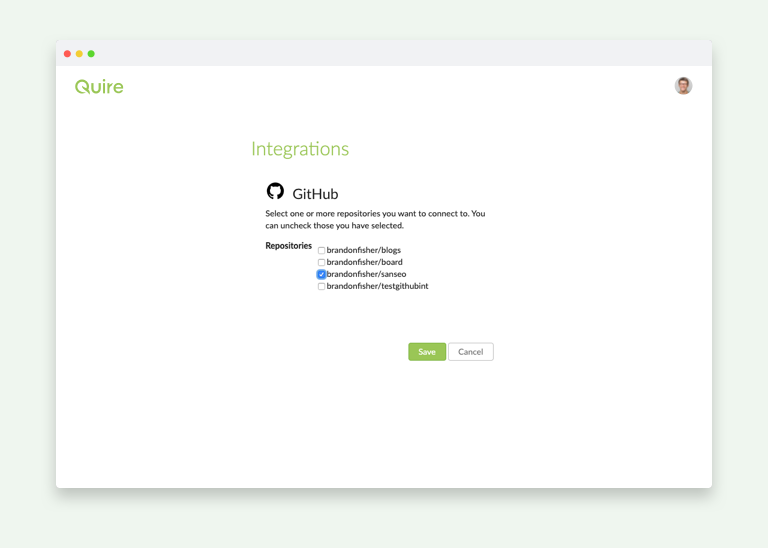
Successfully integrated Github with Quire
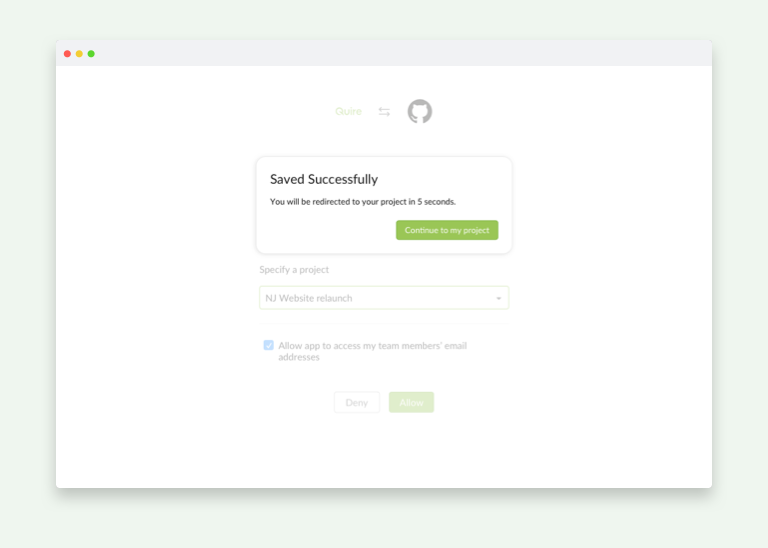
Once you are back to your project, the integration is done!
Read more on how Quire and Slack work together, another popular integration in the same directory.
Need something more custom than the built-in integrations? See our guide to setting up Quire webhooks.
Related: Integrate External Tools with the Quire API via n8n — another way to connect Quire with the other tools in your workflow.
Goodbye for now!What does connecting GitHub to Quire get you?
The short answer: one place for tasks and the code behind them.
Once it is connected, the payoff is traceability. When a task involves code, you can move between the Quire task and the related GitHub activity without hunting through two systems and a chat log to reconstruct what happened. For a team where half the work lives in commits and pull requests, that is the difference between a task list that reflects reality and one that quietly drifts out of date. It also keeps non-engineers in the loop: a project manager can see that the work behind a task is actually moving, without needing to read the code itself. Little integrations like this are how a task tool stops being a separate chore and starts being the place the whole team already looks. And setup is genuinely a few minutes: connect once, pick your repos, and the link quietly does its job from then on, no maintenance required. For a team that ships code, that quiet, always-on link is worth more than a dozen features you have to remember to use.
More Quire guides: Make your Product Backlog Speak the Whole Story and Quire — A design hiding complexity in simplicity.
Frequently Asked Questions
How does Quire integrate with GitHub?
Quire connects to GitHub so you can refer back and forth between tasks and commits, keeping task tracking and code in sync.
How do you set up the Quire GitHub integration?
Open Quire and Beyond at quire.io/apps, choose GitHub and click Install, pick the project to connect, authorize your GitHub account, then select the repositories to link.
Why connect GitHub to a task manager like Quire?
It keeps everyone up to date when tasks involve code, since you can trace between tasks and the related changes in one place instead of switching tools.
 Crystal ChenContent writer, food lover, and aniholic.