features · Nov 10, 2023
Winter Updates: What’s New with Quire?
Last updated: July 22, 2026
What shipped in this update
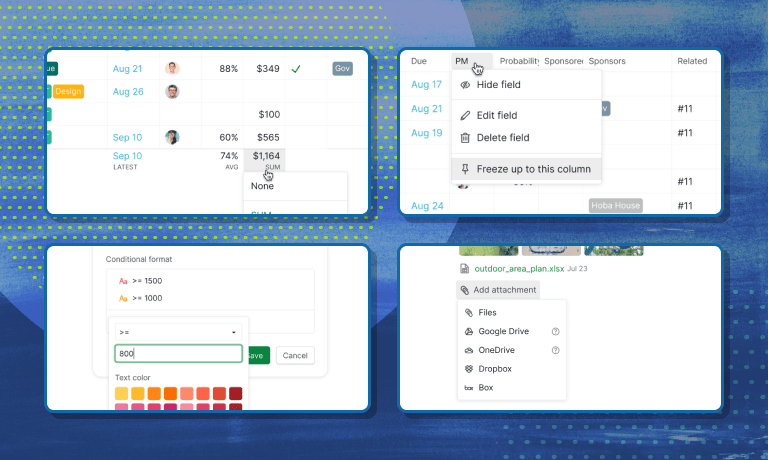
Quire's winter 2023 release added four things, all still in the product today: freeze columns in Table View, column calculations (SUM, AVG, MIN, MAX and more), conditional formatting with custom color rules, and file attachments from Dropbox and Box.
Originally published November 2023. The four features below are now a standard part of Quire.
Yo, Quire squad! Winter is here, and you know what that means - we've got some fresh updates that are cooler than a polar bear's toenails. So, grab your favorite hot beverage, and let's break down the latest and greatest features:
Spreadsheets never left the office. Statista tracks more than a billion Microsoft Office users worldwide, so these updates are about giving Quire's Table View the muscle people expect from a real spreadsheet.
How do you freeze columns in Quire's Table View?
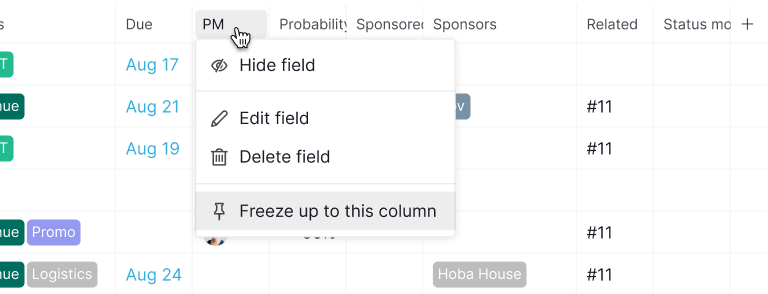
We've all been there, scrolling through endless data in your Table View, and that one crucial column goes MIA. Well, we've got your back! Quire now lets you freeze columns so that you can keep your eyes on the prize.
Why is it a good idea to freeze columns, you ask? Well, it's like having a GPS for your data. No matter how far you scroll, those key columns stay put, making it easier than ever to compare, contrast, and make quick decisions. So say goodbye to column FOMO, and hello to data-driven clarity.
For a step-by-step guide on how to freeze your columns, please visit our guide.
How do you calculate columns in Quire's Table View?
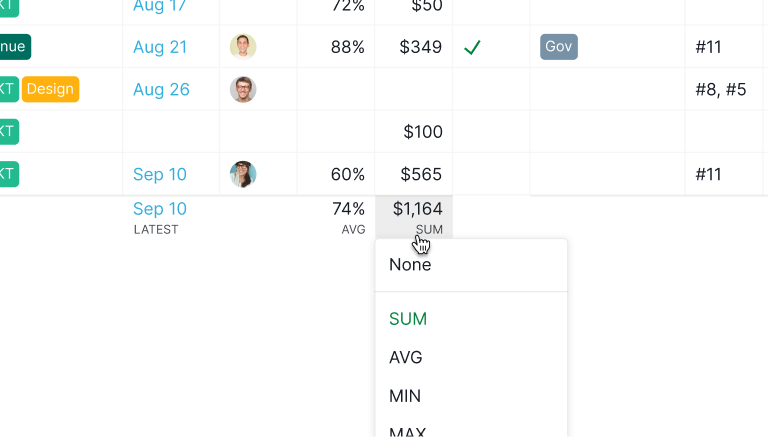
What's sweeter than a warm slice of pie on a cold winter's day? The new Calculate Column feature in Quire! Now, you can perform calculations right within the Table View.
This functionality opens up a world of possibilities. You can use various calculation methods, such as SUM, AVG, MIN, MAX, and more, to analyze your data directly within the Table View. There is no need for complex formulas or manual calculations; Quire does the work for you.
Whether you're tracking project costs, team performance, or any other numerical data, the ability to calculate columns simplifies your data analysis and equips you to make data-driven decisions effortlessly.
For a step-by-step guide on how to add table view calculations to your data, please visit our guide.
How do you add conditional formatting to your data in Quire?
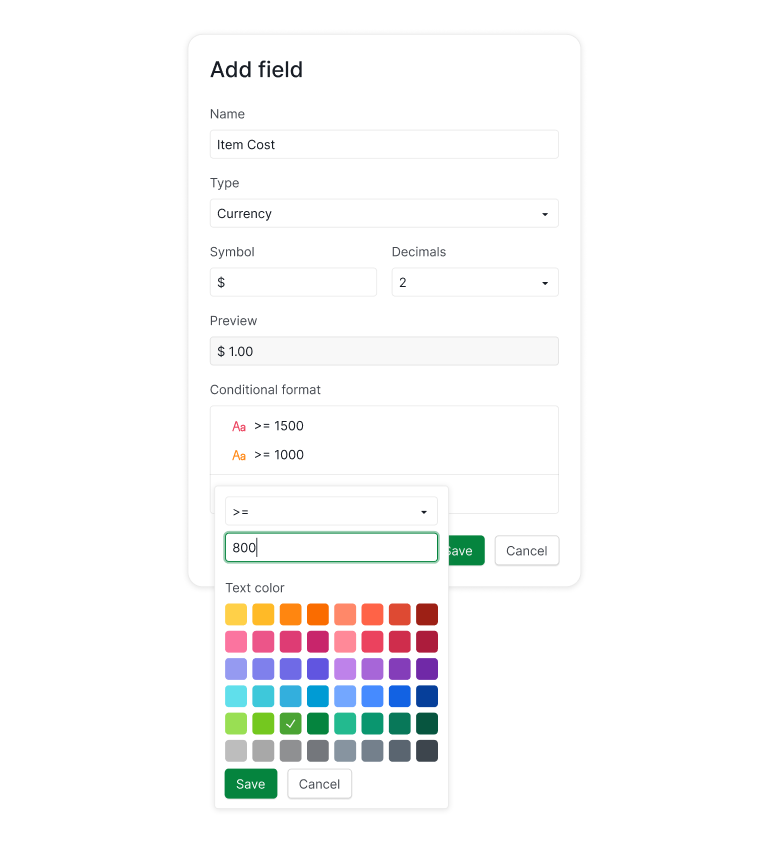
We're spicing things up with a little flair! Quire now lets you apply conditional formatting in the Table View. It's like giving your data a makeover, and it works especially well on Custom Fields like budget or priority scores.
Highlight what matters most with colors, and formatting that follow your custom rules. It's a fantastic tool for quickly identifying task priorities, deadlines, or other attributes that matter most to your project. This feature enables you to customize your Table View for better data comprehension and quicker action.
For a step-by-step guide on how to add conditional formatting to your data, please visit our guide.
How do you integrate Dropbox and Box with Quire?

Imagine this: You've got a ton of files to manage, and they're scattered across the digital universe. That's where our new integration with Dropbox and Box comes in. We've made file management as easy as pie (or should we say, as easy as a slice of cake?).
Now, you can link your Dropbox and Box accounts with Quire, making file sharing and access a breeze. Your project files and documents are all in one place, so your team can access, collaborate, and stay on top of things without any winter blues.
For a step-by-step guide on how to integrate Dropbox and Box to Quire projects, please visit our guide.
Freeze columns and conditional formatting are two of many features covered in Quire's roundup of 20 Hidden Quire Features.
So there you have it, folks! Quire is leveling up your winter game with these awesome updates. We're here to make your project management experience as smooth as freshly fallen snow. Stay tuned for more amazing features and improvements because we're not stopping anytime soon. Keep it cool and keep rocking Quire! 🚀❄️
What did the winter updates add?
Four upgrades, mostly aimed at making Table View do more of what a spreadsheet does.
Frequently Asked Questions
Can you freeze columns in Quire's Table View?
Yes. Freezing keeps key columns visible while you scroll through the rest of a wide table, which makes comparing rows much easier.
Can Quire calculate totals and averages in a column?
Yes. Calculate Column runs SUM, AVG, MIN, MAX and more directly on your data, so you can total costs or average values without exporting anything.
Does Quire support conditional formatting?
Yes. Conditional formatting in Table View color-codes cells based on custom rules, so priorities and outliers are easy to spot at a glance.
Does Quire integrate with Dropbox and Box?
Yes. Link your Dropbox or Box account and attach files straight to tasks, so documents stay together with the work they belong to.