project management · Mar 5, 2024
The Domino Effect: How Task Dependencies Shape Projects
Last updated: July 20, 2026
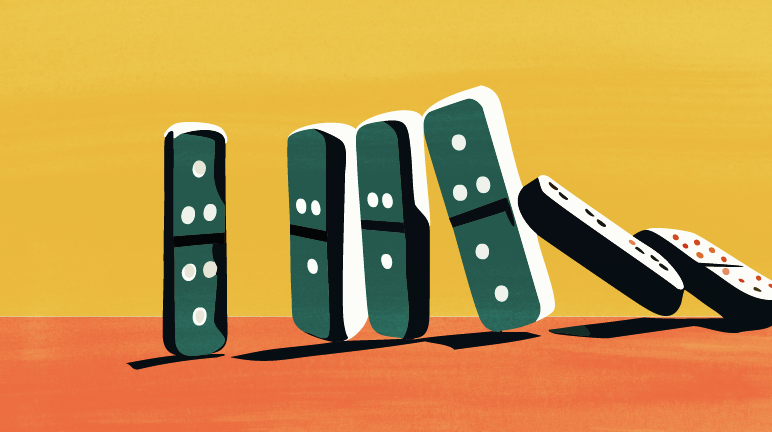
A delay in one task cascades through every task downstream of it, that's the domino effect, and it's why small slips turn into missed deadlines. When a dependency slips, check whether it's on the critical path, recalculate the whole downstream chain, and re-baseline only what's actually affected. Software that flags this automatically keeps the cascade from becoming a surprise.
- How Does One Slipped Task Turn Into a Cascade?
- Does Every Slip Cascade All the Way to the Deadline?
- How Far Can a Single Slip Travel Downstream?
- Who Needs to Know First When a Dependency Slips?
- Can You Prevent the Cascade Instead of Just Containing It?
- How Do You Contain a Cascade Once a Dependency Slips?
- What Should Project Management Software Actually Do About the Cascade?
- Keep the First Domino From Falling Undetected
- Frequently Asked Questions
One late task rarely stays one late task. It slips, and every task waiting on it slips too, and everything waiting on those slips right along with them. By the time the cascade reaches the end of the chain, a two-day delay on one task can turn into a two-week miss on the deadline nobody saw coming.
This post covers how that cascade actually spreads, how far a single slip can travel downstream, and what to do in the hours after a dependency slips so the damage stops at one or two tasks instead of the whole project.
Task dependencies aren't a new idea. The Critical Path Method was developed at DuPont in the late 1950s, and PMI's PMBOK Guide still treats dependency mapping as one of the core steps in building a schedule. The domino effect is just what that looks like when the dependencies are real but nobody tracked them.
How Does One Slipped Task Turn Into a Cascade?
A dependency means Task B can't move until Task A hits some state, usually finished. When Task A slips, Task B's start slips by the same amount by default. If Task C depends on Task B, it slips too, and so on down the chain. Nobody planned for this delay anywhere in the schedule; it just inherits itself from one task to the next.
The reason it feels sudden is that most teams only notice the original slip. They don't automatically see task four or five in the chain move, so the deadline appears to miss on its own with no warning, when really it was decided the moment task one slipped and nobody traced it forward.
Does Every Slip Cascade All the Way to the Deadline?
No, and this is the detail that matters most. A slip only moves your end date if it happens on the critical path: the one chain of dependent tasks with zero slack between them. Slip a task off the critical path and the cascade still happens, but slack somewhere downstream absorbs it and your deadline never moves. Slip a task on the critical path and every day of delay shows up on the end date directly, with nothing to absorb it.
The first thing worth checking after any slip is whether the task sits on the critical path. That answer decides whether you need to act today or whether the schedule can absorb the delay without any real damage.
How Far Can a Single Slip Travel Downstream?
Further than most people expect, because one task rarely has just one successor. A single delayed task can gate three or four others at once, and each of those has its own successors. The cascade doesn't move in a straight line, it branches, and the total number of tasks affected can be much larger than the one task that actually slipped.
This is exactly where checking dependencies by hand falls apart. Tracing four branches, each several tasks deep, in your head or on a whiteboard is how a delay gets discovered a week later instead of the day it happened. A project management tool that recalculates the whole tree the moment one date changes is what shows you every affected task at once, branches included.
Who Needs to Know First When a Dependency Slips?
Whoever owns the tasks downstream of it, and they need to know the same day, not at the next status meeting. A cascade only turns into a surprise when the information travels slower than the delay does. If the owner of task four in the chain hears about a slip on task one before their own start date arrives, they can replan. If they hear about it after, they're already behind with no time to react. That only works if ownership was unambiguous to begin with; teams that default to "the team owns it" benefit from an explicit framework like RACI, DACI, or RAPID that names exactly one person to notify when a dependency slips.
Team collaboration around dependencies works best when it's built into the same tool that tracks the link, so a slipped date shows up as a notification instead of something someone has to remember to mention.
Read more on Why Team Leaders Should Embrace Asynchronous Collaboration for Their Distributed Teams.
Can You Prevent the Cascade Instead of Just Containing It?
Some of it, yes. Every dependency you map into your project plan during planning is a cascade you can see coming instead of discovering mid-project. Contingency buffer on critical-path tasks specifically, not spread evenly across the whole plan, absorbs small slips before they ever reach a downstream task. Prevention and containment aren't the same skill, and a project needs both. One keeps most slips from starting a cascade at all. The other stops the cascades that happen anyway from reaching the deadline.
Read the full playbook: 7 best practices for managing task dependencies.
How Do You Contain a Cascade Once a Dependency Slips?
Four things, roughly in order. First, get the slip reported the same day it happens, not at the next standup, since a cascade you hear about on day one is one you can still steer. Second, check whether the task is on the critical path, since that determines whether you need to act at all. Third, recalculate the whole downstream chain, not just the next task in line, so you know every date that actually moved. Fourth, re-baseline only the affected branch and tell its owners the new dates directly instead of reissuing the entire project plan.
Skipping straight to "add more resources" before doing these four is how teams throw effort at the wrong task. The fix belongs wherever the chain shows the damage landing, which is rarely the task that slipped first.
What Should Project Management Software Actually Do About the Cascade?
One thing above all: recalculate every downstream date the instant a predecessor's date changes, and show you which tasks moved. Visualizing dependencies is table stakes. Flagging the cascade automatically, before you go looking for it, is what turns a slip from a surprise into a same-day fix.
Here's the whole playbook in one glance, four practices that stop a slipped task from becoming a slipped deadline.
Keep the First Domino From Falling Undetected
Most missed deadlines were decided days or weeks before anyone noticed, the moment an early task dependency slipped and nobody traced where it would land. Map the dependencies, know which ones sit on the critical path, and use a tool that shows you the cascade the moment it starts. That's the difference between catching a slip on day one and explaining a missed deadline on the last one.

Frequently Asked Questions
What is the domino effect in task dependency?
It's how a delay on one task pushes back every task that depends on it, and everything downstream of those, all the way down the chain.
Does every slipped dependency push back the project deadline?
No, only a slip on the critical path does. Slips elsewhere usually get absorbed by slack before they reach the deadline.
How far can a single slipped dependency spread?
Further than the next task. One delay can gate several successors at once, and the cascade branches instead of running in a straight line.
What do you do in the hours after a task dependency slips?
Report it the same day, check if it's on the critical path, recalculate the whole downstream chain, and re-baseline only the affected branch.
How does project management software help contain the domino effect?
It recalculates downstream dates automatically and shows you which tasks moved, so you catch the cascade the day it starts instead of a week later.